

The problem
For people on the wrong side of the digital divide, real-time screen sharing is the most direct tool for closing that gap. But the moment you turn on your screen to get help, information you never meant to share goes out with it — messenger notifications, banking details, whatever document happened to be open.
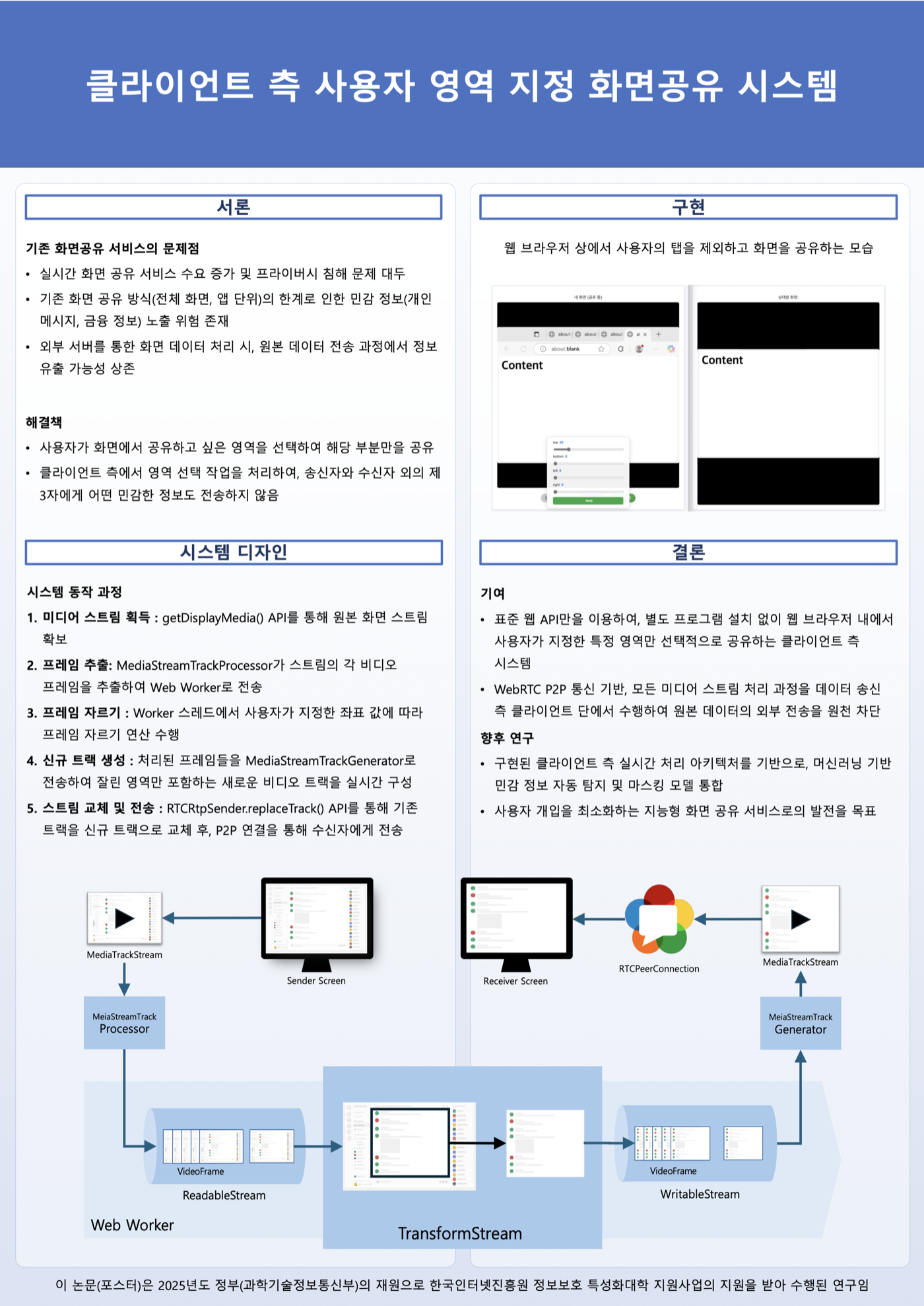
Existing screen sharing only lets you choose at the level of the whole screen, a single window, or a browser tab. There was no way to say "share this window, but hide this region inside it."
Two approaches
The project attacks the problem from two directions.
- Fine-grained region selection — the user marks exactly which area gets shared
- AI-driven automatic masking — a YOLO model detects sensitive elements in real time and covers them
Both do all of their work on the sending client. Only processed frames leave for the network, so the original pixels behind a masked region are never transmitted in the first place.
Built on standard Web APIs alone
The constraint I cared about most: no browser extension, no native program, no plugin.
An extension would have made screen-capture control far easier. But a tool that demands an install at the exact moment someone needs help doesn't actually get used — and when the people you're building for are the ones already struggling with technology, the install step itself is the barrier.
So everything is built from standard web APIs.
| API | Role |
|---|---|
getDisplayMedia() | Acquire the screen stream |
| WebRTC | P2P transport with no server relay |
| Insertable Streams API | Direct access to frames before encoding |
MediaStreamTrackProcessor / Generator | Track ↔ stream conversion |
| Web Worker | Frame computation off the main thread |
RTCRtpSender.replaceTrack() | Hot-swap in the processed track |
If you have a browser, it works. The paper highlights this as the practical contribution.
The pipeline
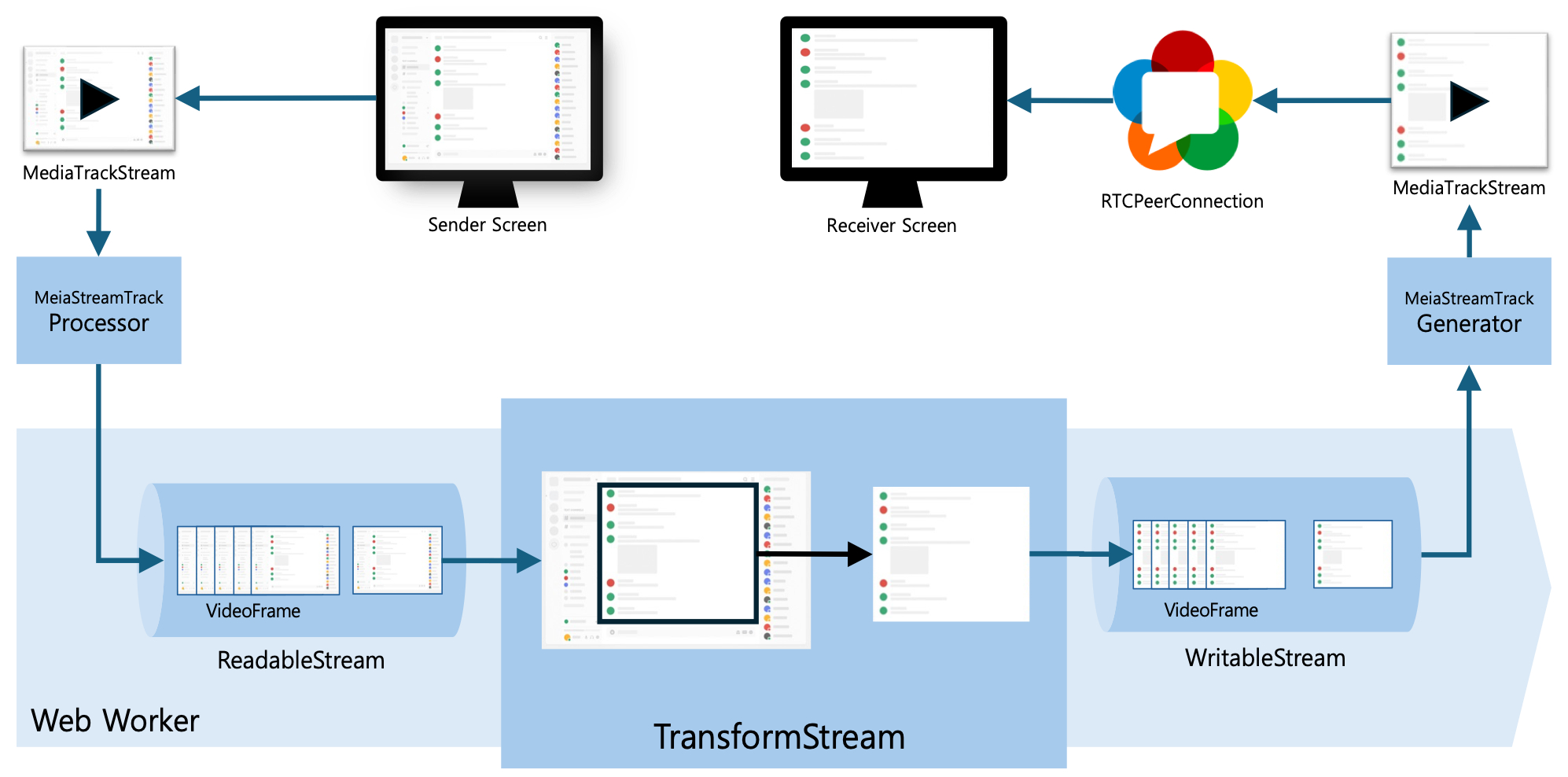
getDisplayMedia()acquires aMediaStreamfor the screen the user picked.MediaStreamTrackProcessorconverts the video track into aReadableStreamand hands it to a Web Worker.- A
TransformStreaminside the worker processes eachVideoFrame— cropping to the selected region, or masking based on YOLO inference results. MediaStreamTrackGeneratorbuilds a new video track from the processed frames.RTCRtpSender.replaceTrack()swaps the outgoing track for the processed one.
Why a Web Worker
Cropping and running inference on every frame of a live stream is computationally expensive. Doing it synchronously on the main thread freezes the UI and destroys responsiveness.
Moving it into a worker puts the compute-heavy work on a thread independent of rendering, which keeps the experience smooth with no UI stalls.
Approach 1 — fine-grained region selection
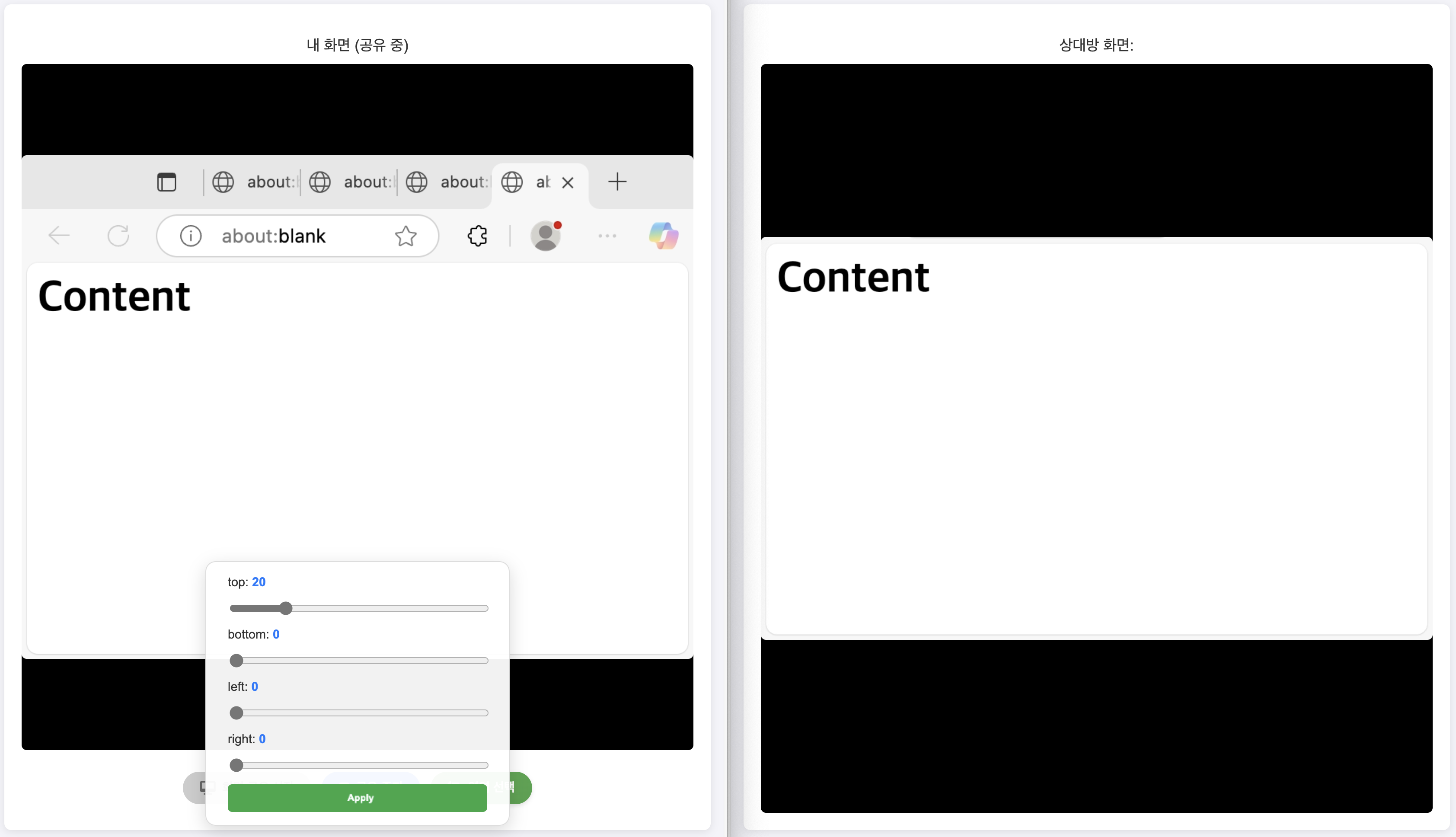
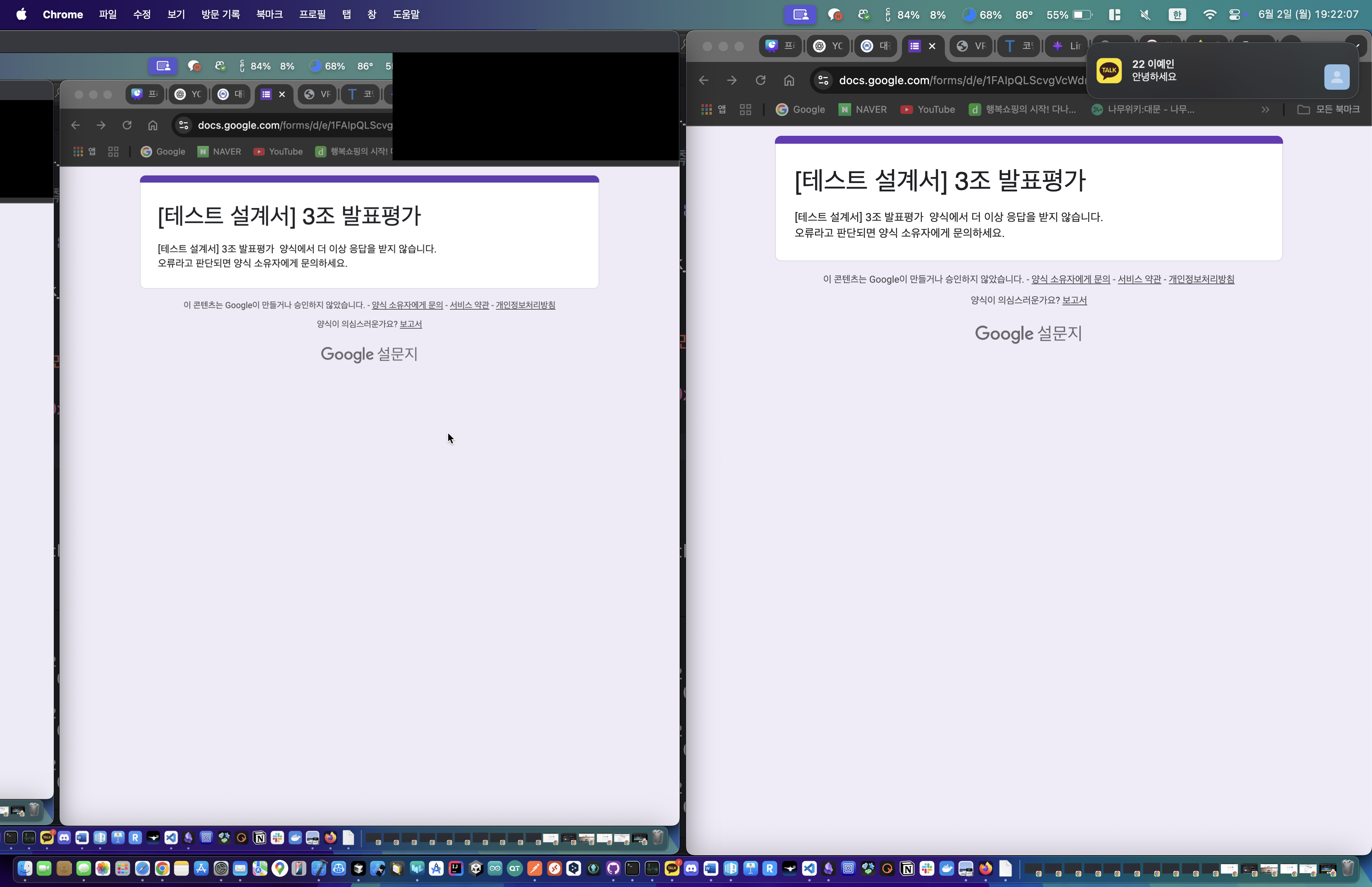
The sender defines the shared area with top / bottom / left / right bounds, and everything outside it is never sent to the other side.
Approach 2 — automatic masking with YOLO
Region selection has a limit: the user has to make the judgment call themselves. So I also built real-time detection and masking of sensitive information using a YOLO model.
The model extracts features from each frame to predict what objects are present and where, covers anything classified as sensitive, and only then transmits. The user doesn't have to adjust coordinates every time, and the masking follows the content as the screen changes.
Performance
Roughly 40ms of processing per frame on average — about 25–30fps. That is comfortably enough for live screen sharing.
The number comes from the pipeline design: inference and frame manipulation both run asynchronously in the Web Worker, leaving the main thread free to do nothing but render.
Results
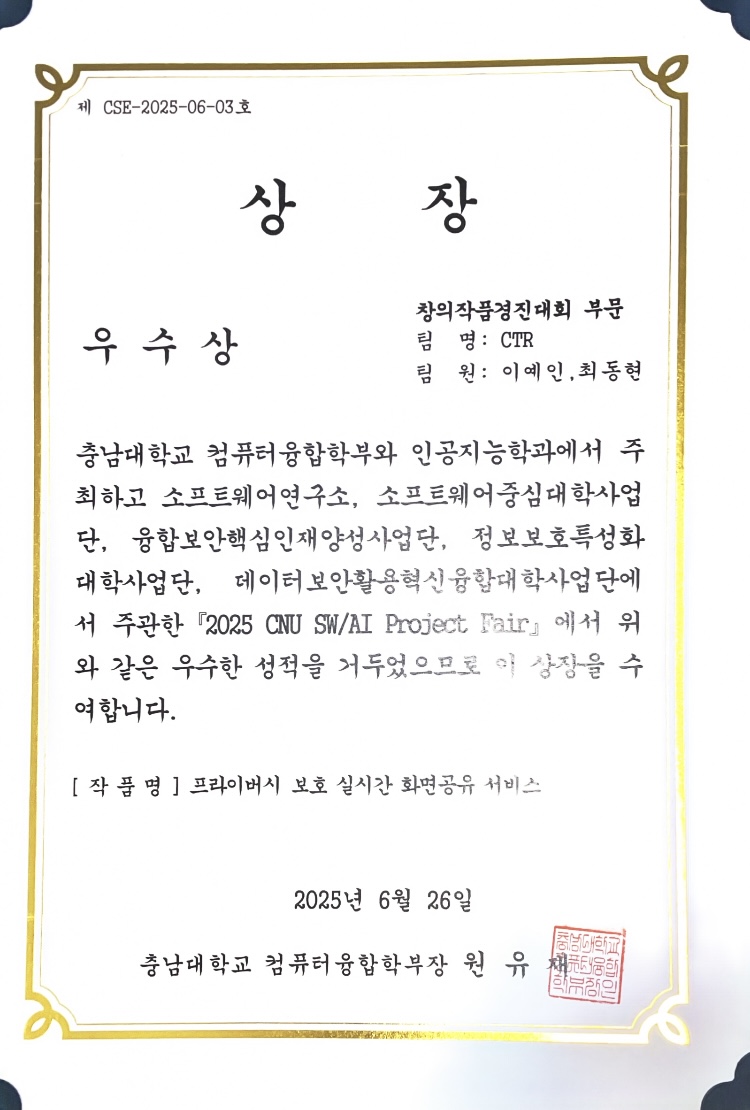
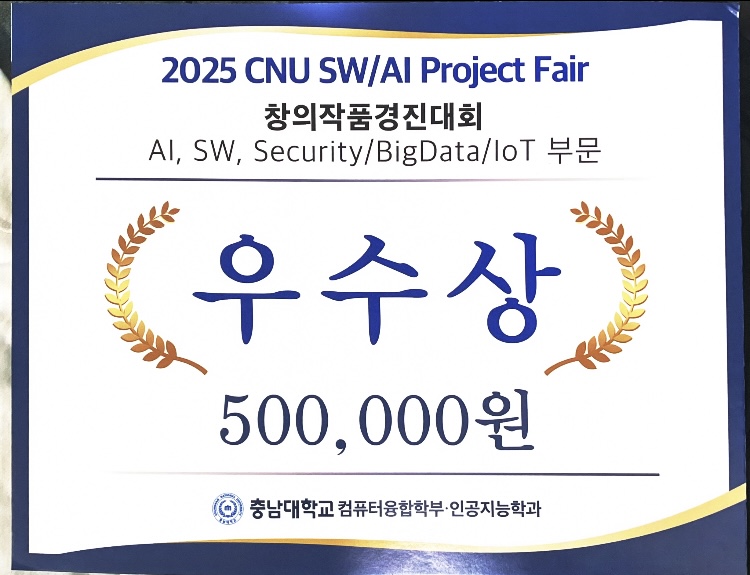
Excellence Award, 2025 CNU SW/AI Project Fair · 2nd out of 85 teams — AI · SW · Security/BigData/IoT track, team CTR (June 26, 2025, Dean of the School of Computer Science and Engineering, CNU)
First-author paper at KIISC CCC 2025 — "A Client-Side Screen Sharing System with User-Defined Regions" (Yein Yi, Jinsoo Jang). Research supported by the Information Security Specialization University program of the Ministry of Science and ICT and the Korea Internet & Security Agency.
What's left
The improvements I identified at presentation time:
- Thermal load — sustained real-time inference makes heat build up on the device.
- Better masking — detection accuracy and processing speed both need to come up together.
- More masked categories — survey which elements people consider sensitive, and how sensitive, then widen the set.
- Region selection UX — drop the sliders and let people drag the region directly on the screen.
Where this started
It didn't begin as a security project. In the second half of 2024, on an industry-academic project with AhnLab, I owned WebRTC P2P communication and built the signaling server and media stream handling. On top of that transport layer came the question: "what if the shared screen itself could be controlled?" The capstone project started there.