Problem:
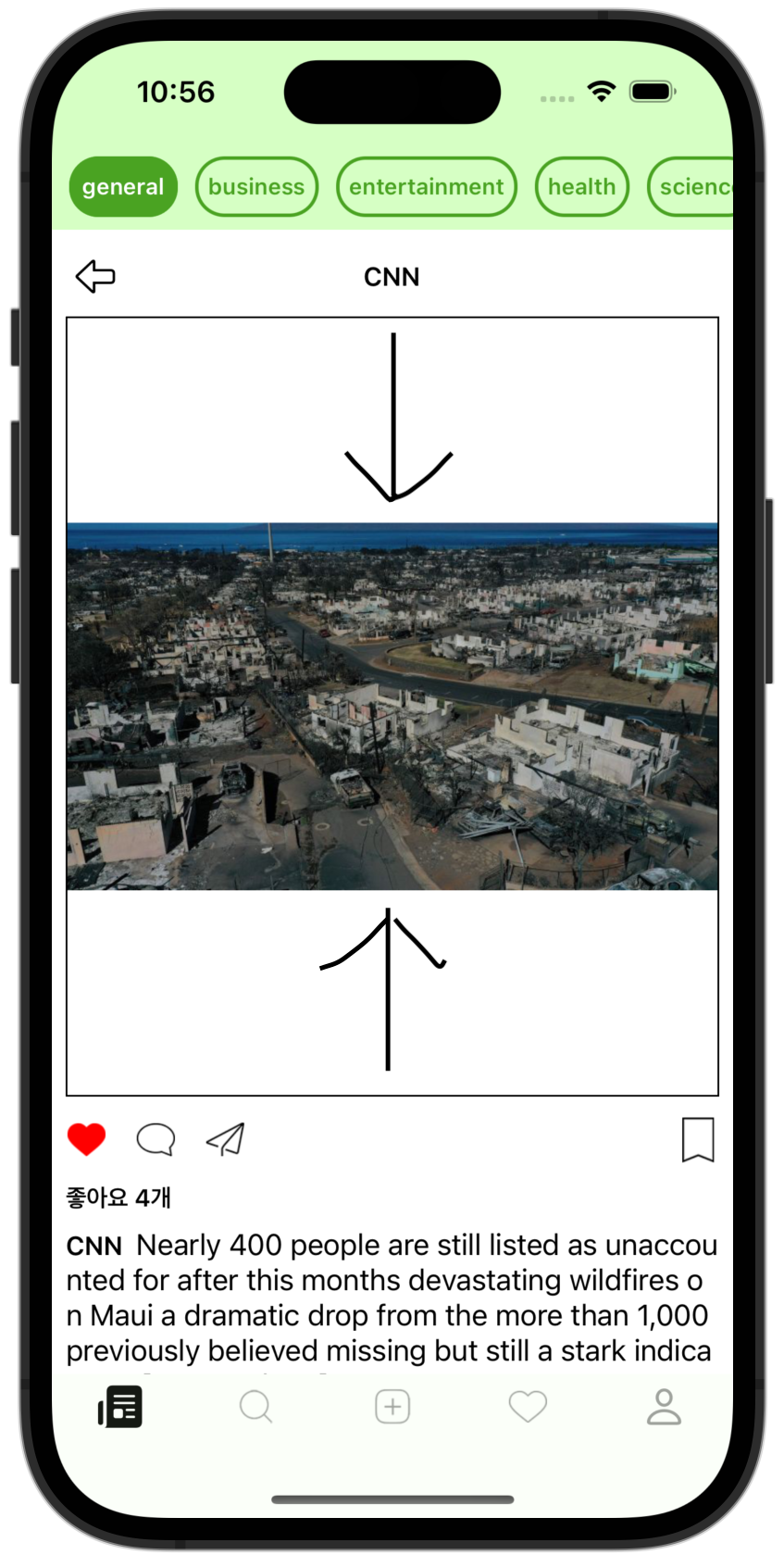
I set scaleToFit on a UIImageView and pinned its width to the screen view with constraints.
But the UIImagView's size doesn't shrink, so extra margin is left over, and I want to set up AutoLayout so the UIImageView fits the Image size.
Solution:
-
Store the Image's aspect ratio.
-
In the AutoLayout height setting, use the stored ratio to compute the height from the UIImageView's width, and set that up in AutoLayout.
private let postImageView: UIImageView = {
    let iv = UIImageView()
    iv.contentMode = .scaleAspectFit
    iv.layer.borderWidth = 1
    iv.image = #imageLiteral(resourceName: "venom-7")
    return iv
}()
addSubview(postImageView)
postImageView.snp.makeConstraints { make in
      make.top.equalTo(usernameButton.snp.bottom).offset(8)
      make.leading.equalTo(self).offset(8)
      make.trailing.equalTo(self).offset(-8)
}
This is the setup in the screenshot above.
I fixed the width by placing the leading and trailing 8 away from the view.
Now store the aspect ratio of the image in the UIImageView in a ratio variable,
let ratio: CGFloat = image.size.width / image.size.height
and then pin the height using the stored ratio against the UIImageView's current width.
postImageView.snp.makeConstraints { make in
    make.height.equalTo(self.postImageView.snp.width).multipliedBy(1/ratio)
}
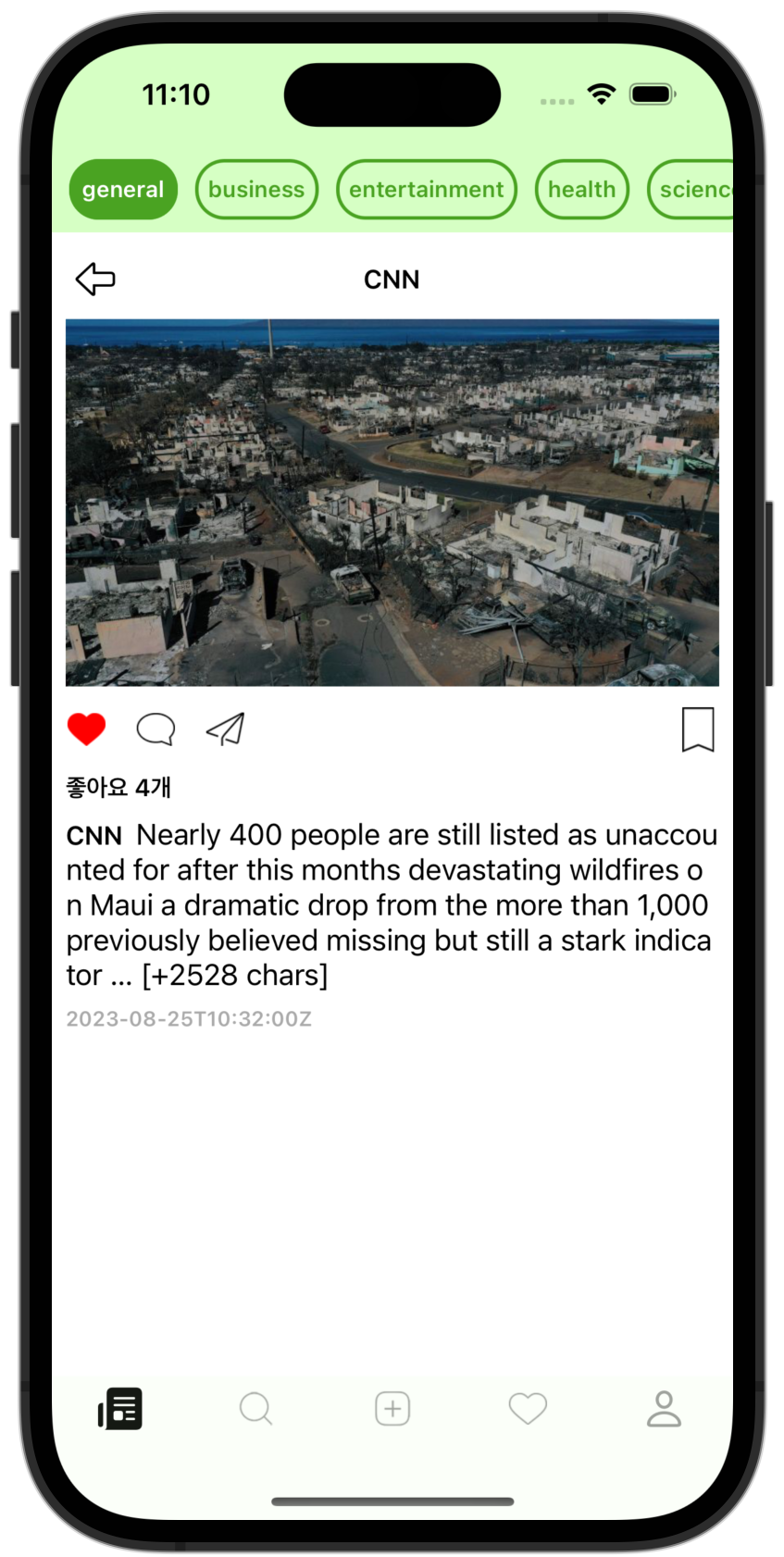
Solved!!