0. Plan
-
To implement
Dynamic Height, I need to getthe sum of the SubViews' heightsusing AutoLayout Constraints. -
This can be calculated with the
systemLayoutSizeFittingmethod.
1. Apple Document + blog
systemLayoutSizeFitting(_:withHorizontalFittingPriority:verticalFittingPriority:)
Returns the optimal size of the view based on its constraints and the specified priorities.
func systemLayoutSizeFitting(
    _ targetSize: CGSize,
    withHorizontalFittingPriority horizontalFittingPriority: UILayoutPriority,
    verticalFittingPriority: UILayoutPriority
) -> CGSize
Parameters
-
targetSize: CGSize
- Put in the size of the View you want back.
- That's because you can pass
layoutFittingCompressedSizeto get the smallest possible View size, andlayoutFittingExpandedSizeto get the largest possible View size.
-
horizontalFittingPriority: UILayoutPriority
- Priority of the horizontal constraints
- It seems to give a priority to the horizontal constraints of targetSize??
- Pass fittingSizeLevel to get a width as close as possible to the width of targetSize
-
verticalFittingPriority: UILayoutPriority
- Priority of the vertical constraints
- Pass fittingSizeLevel to get a height as close as possible to the height of targetSize
UILayoutPriority
A layout priority tells the constraint-based layout system which constraints matter more, so the system can keep a proper balance in satisfying the constraints as a whole.
2. Summary
-
layoutFittingCompressedSizeandlayoutFittingExpandedSizeare plain constants with the values(10000, 10000)and(0, 0)respectively. -
If you pass fittingSizeLevel as the priority, it gives you the view's size derived from the constraints of its contents, and if you pass required, it takes the value from the targetSize we passed in.
-
So if you just want to get the value from the Constraints, whether you pass
layoutFittingCompressedSize,layoutFittingExpandedSize, orsome unrelated value, as long as you passfittingSizeLevelas the priority, it makes no difference! -
fittingSizeLevelseems to have been born for calculating the size of the contents in thesystemLayoutSizeFittingfunction in the first place. According to the explanation in Apple's source code, creating a constraint with this very low priority is not appropriate, and it says to use it insystemLayoutSizeFittingwhen calculating the contents.When you send -[UIView systemLayoutSizeFittingSize:], the size fitting most closely to the target size (the argument) is computed. UILayoutPriorityFittingSizeLevel is the priority level with which the view wants to conform to the target size in that computation. It's quite low. It is generally not appropriate to make a constraintat exactly this priority. You want to be higher or lower.
3. Usage
Implementing a UICollectionView Header with Dynamic Height
Problem
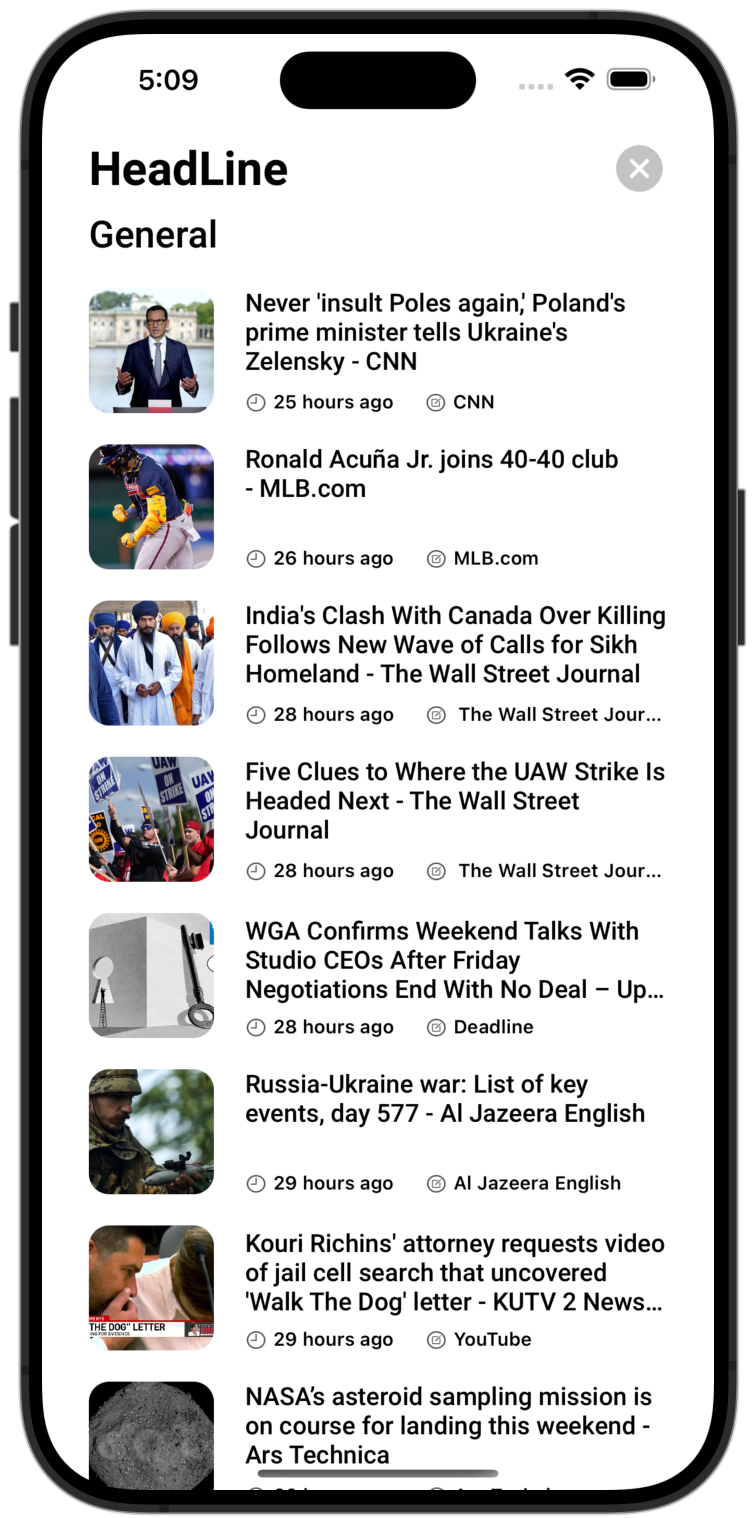
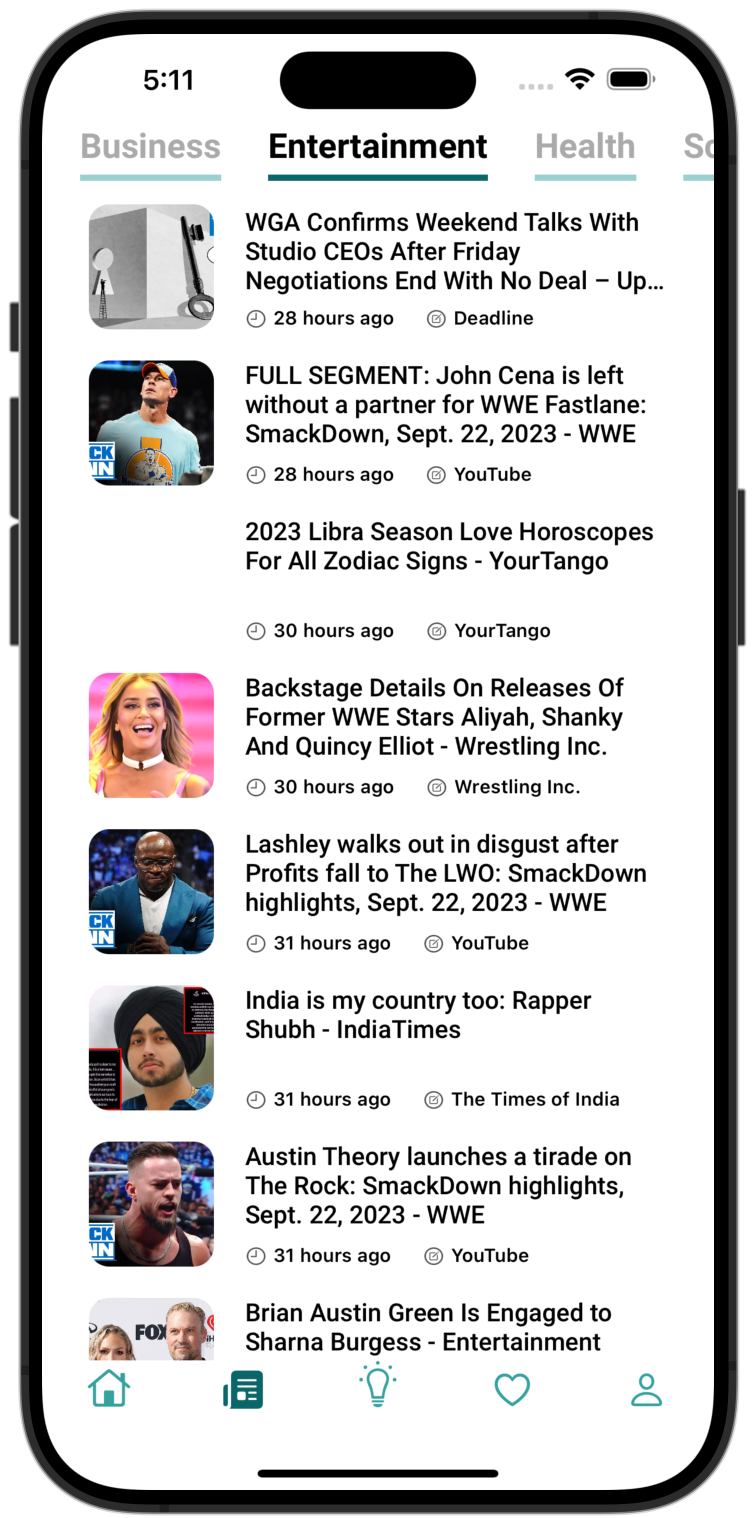
I want to build a single Header that dynamically calculates its height and takes that height, whatever view I put in it as a subview. On the headline page the dynamic height applies, and on the other pages the height is fixed at 40.
- I want the Header to size itself dynamically to fit the View sizes set with AutoLayout, but calculating each content's size through intrinsicSize and so on is a hassle and makes the code complicated. systemLayoutSizeFitting solves this.
Implement
-
To set a dynamic height, return the size from the
referenceSizeForHeaderInSection section: IntCGSizemethod ofUICollectionViewDelegateFlowLayout -
Inside the method, create a Header for the size calculation: create a HeadLineViewHeader header object on the headline Page, and a CategoryHeader header object otherwise
-
func collectionView(_ collectionView: UICollectionView, layout collectionViewLayout: UICollectionViewLayout, referenceSizeForHeaderInSection section: Int) -> CGSize { let header = headline ? HeadLineViewHeader() : CategoryHeader() } -
The width has to be fixed to the screen width, so put the
UIScreen.main.bounds.widthvalue intargetSizeand giverequiredas the priority so the value comes out as is. -
The height has to be the calculated height of the contents, so it doesn't really matter what value goes into
targetSize, but to match the intent I put in theUIView.layoutFittingCompressedSize.heightvalue, and givefittingSizeLevel, which is what you pass when calculating the size, as the priority. -
Written as code, it looks like this.
func collectionView(_ collectionView: UICollectionView, layout collectionViewLayout: UICollectionViewLayout, referenceSizeForHeaderInSection section: Int) -> CGSize {
    let header = headline ? HeadLineViewHeader() : CategoryHeader()
    let size = headline ? header.systemLayoutSizeFitting(
        CGSize(width: UIScreen.main.bounds.width, height: UIView.layoutFittingCompressedSize.height),
        withHorizontalFittingPriority: .required,
        verticalFittingPriority: .fittingSizeLevel
    ) : CGSize(width: UIScreen.main.bounds.width, height: 40)
		return size
}
4. Result
The Header's SubViews have Constraints with different heights, but the Header's height was calculated and applied to fit those SubViews.