The Problem
struct BlueRectangle: View {
    @State var blueRectSize = CGSize(width: 20, height: 40)

    var body: some View {
        VStack {
            Rectangle()
                .frame(width: blueRectSize.width, height: blueRectSize.height)
                .foregroundStyle(.blue)

            BlackRectangle()
                .frame(height: 60)
        }
    }
}
struct BlackRectangle: View {
    var body: some View {
        HStack {
            Rectangle()
            Rectangle()
            Rectangle()
            Rectangle()
        }
    }
}
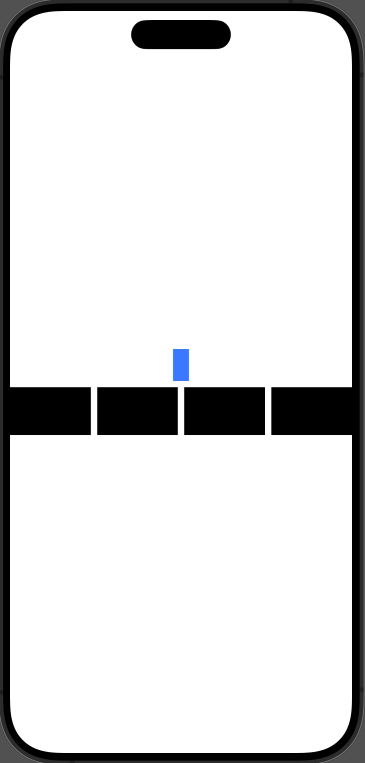
It consists of 1 BlueRectangle and 3 BlackRectangles.
Here, the size of the BlackRectangle is decided dynamically.
In this situation, I want to make the size of the BlueRectangle object exactly the same as the size of one BlackRectangle.
So in this section we need to solve the following.
- Get the size of one BlackRectangle.
- Pass the size we got up to the parent view.
Getting the BlackRectangle Size
We can get it using GeometryReader.
If you wrap a view in GeometryReader, you can find out its Size through a variable of type GeometryProxy.
Wrap the Rectangle that was inside the ForEach structure in a GeometryReader,
and check the width value with an overlay.
GeometryReader { proxy in
    Rectangle()
        .overlay {
            Text("\(proxy.size.width)")
                .foregroundStyle(.white)
        }
}
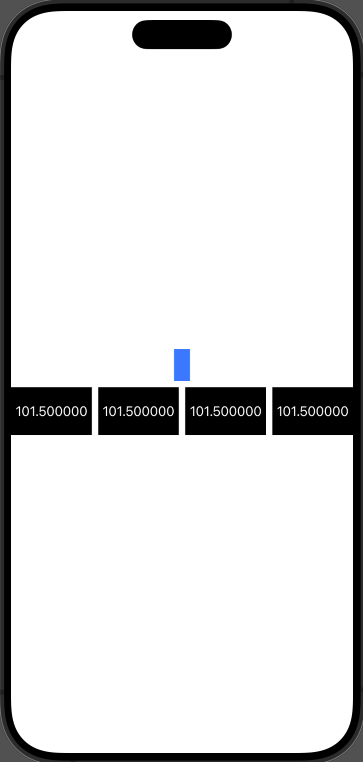
Now looking at the screen on the right, I confirmed that the BlackRectangle has a width of 101.5.
So I learned that GeometryReader lets me get a view's Size.
Now let's pass the size value to the separate parent view, BlueRectangle.
Passing Data to the Parent View
You can pass data up to the parent view through the PreferenceKey protocol.
First, define a struct that conforms to PreferenceKey.
struct GeometryPrefereneKey: PreferenceKey {
    typealias Value = CGSize

    static var defaultValue: CGSize = .zero

    static func reduce(value: inout CGSize, nextValue: () -> CGSize) {
        value = nextValue()
    }
}
Let's send the data with the preference modifier.
GeometryReader { proxy in
      Rectangle()
          .overlay {
              Text("\(proxy.size.width)")
                   .foregroundStyle(.white)
          }
          .preference(key: GeometryPrefereneKey.self, value: proxy.size)
}
Now we can receive the data with the onPreferenceChange modifier.
Just put onPreferenceChange on any view that can set the blueRectangle variable. I picked the VStack.
And if you store the received data in blueRectSize, the problem is solved.
(Additionally, to check the width of blueRectangle, I rendered the width on screen with an overlay)
VStack {
       Rectangle()
            .frame(width: blueRectSize.width, height: blueRectSize.height)
            .foregroundStyle(.blue)
            .overlay {
                Text("\(blueRectSize.width)")
            }

       BlackRectangle()
           .frame(height: 60)
}
.onPreferenceChange(GeometryPrefereneKey.self) { blackRectangleSize in
    blueRectSize = blackRectangleSize
}
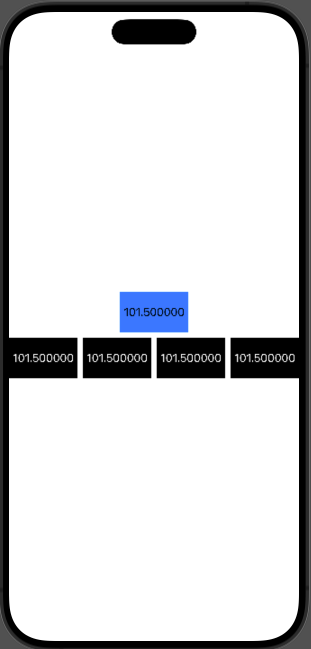
Roughly, the order is as follows :
Find the Size with GeometryReader
-> Send the data from BlackRectangle
-> Receive the data in BlueRectangle
-> Store the received data in blueRectSize
-> The view re-renders because of @State
-> The size of blueRectangle changes