In part 1 I set up my phone. This one is about the server the phone connects to.
My side projects used to live on a Hetzner server. It's in Germany and cheap, but it ran short on resources whenever I generated videos. On October 12, a video render and a browser automation job ran at the same time, used up all 8GB of memory, and the server froze for about 15 minutes.
I'd also wanted to build a server myself, so I decided to keep one at home.
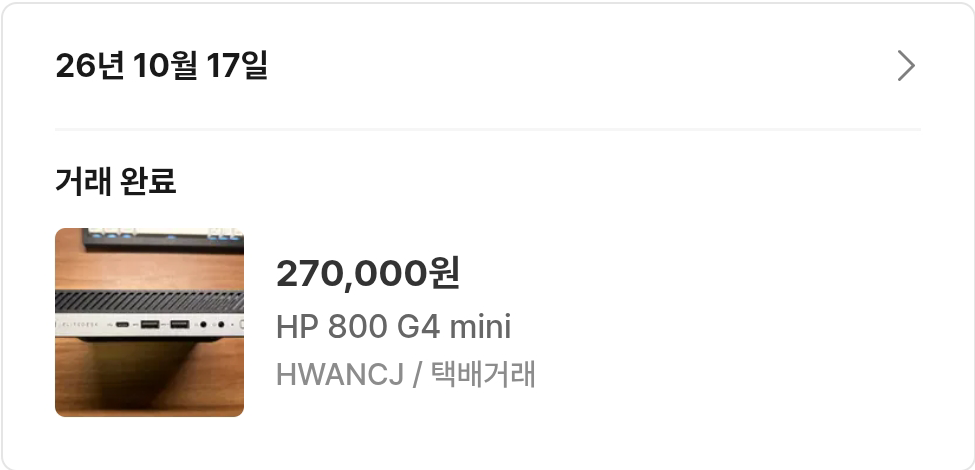
Again I scanned every listing on Bunjang (a Korean secondhand market) through its API. Price came first, and what decided it was an HP 800 G4 mini with 32GB of RAM for ₩300,000. After it arrived, one port turned out to be broken, so the seller knocked off ₩30,000. I installed Linux Mint 22.3 on it.
Once I'm in the military, I won't be able to touch the server for a year and nine months. So I set it up to get back on its feet by itself. I changed the BIOS so it turns on when power comes back after an outage, and a watchdog reboots it if it hangs. Security updates install themselves, and when a new kernel lands it reboots itself at 4:30 a.m. If anything goes wrong, I get a notification on my phone.

Deploys are automatic too. When I push to GitHub, the home server pulls it within five minutes and deploys it. If the deploy fails, it rolls back and tells me on my phone. The idea is that I can fix something on my phone, push, and be done.
The server asks GitHub every five minutes instead of GitHub pushing to the server, and that's for security. The usual setup has GitHub Actions SSH into the server to deploy, which means leaving a key that can get into my server with GitHub. If that key leaks, anyone can get in. When the server pulls, GitHub has no way into my server at all. All the server holds is a read-only deploy key, one per repo. The OpenGitOps principles recommend this pull model too.
Here's the overall structure.
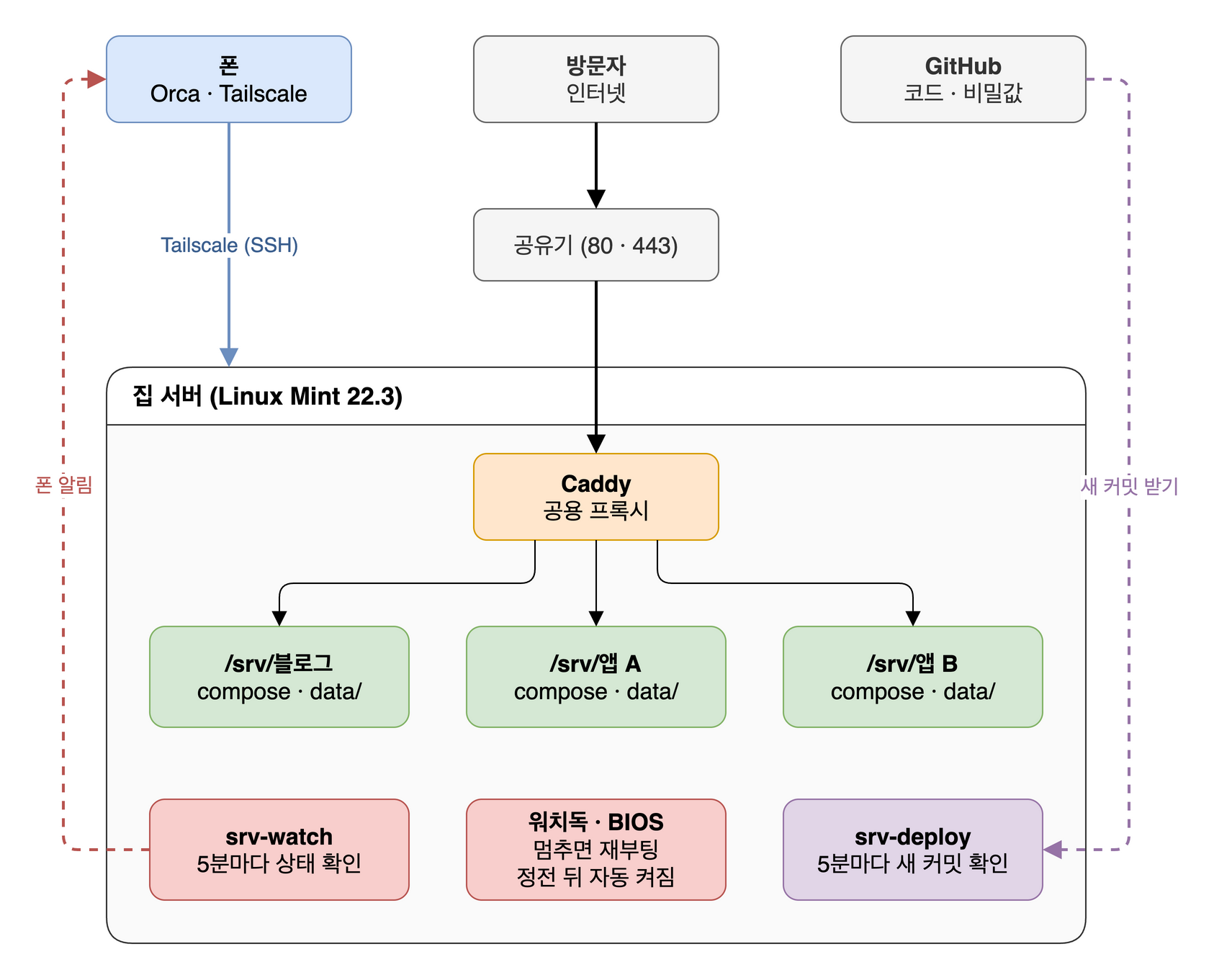
At first I was going to expose it through a Cloudflare Tunnel, but there were plenty of reports that the free plan routes Korean visitors through Hong Kong or the US and makes things several times slower. So I opened ports on the router and let Caddy take the traffic directly.
While moving everything over, I also set some rules, so that when I log in from my phone later I don't have to hunt for where things are.
Every app runs with Docker Compose, and each repo lives in a single folder, /srv/<app>. Data goes in data/ inside that folder instead of a Docker volume, so moving that one folder moves the whole app. /srv is where the Linux Filesystem Hierarchy Standard (FHS) says to put "data for services provided by this system."
/srv/<app>/
├── compose.yaml
├── .env          # secrets (encrypted in the repo)
├── data/         # databases and files
├── backup.sh     # how to back up this app
└── SRV.md        # server notes
When I change a system setting, I don't edit the original file. I add a drop-in file whose name starts with srv-. That way one command lists everything I've touched.
find /etc /usr/local/bin -name '*srv-*'
Adding a new app follows a fixed order too. srv-add-app creates a deploy key, and secrets go into the repo encrypted with SOPS. Once an app has a backup.sh, it's included in backups, and making it public takes one more block in the shared Caddy config.
The Caddy config is one block per app too, with security headers and access logs pulled out into a shared snippet.
# Shared by every app: security headers + a log file per app
(common) {
	header {
		Strict-Transport-Security "max-age=31536000"
		?X-Content-Type-Options nosniff
	}
	log {
		output file /var/log/caddy/{args[0]}.log
	}
}

# ── portfolio (/srv/portfolio) ──
yiye.in, www.yiye.in, comments.yiye.in {
	import common portfolio

	@www host www.yiye.in
	redir @www https://yiye.in{uri} 301

	@comments host comments.yiye.in
	handle @comments {
		reverse_proxy 127.0.0.1:3031 # comments
	}
	handle {
		reverse_proxy 127.0.0.1:3030 # blog
	}
}